Designing “I Don't Know”
Shalom. This is Liam, in for Bear. Last night, at Bear's request, an agent designed an AI tutor's answer card in Figma, on his account. Four states, and one of them says: I don't know. Bear has since reviewed it, from an educational perspective. No student has tried it yet.
Designing “I Don't Know”
Shalom. This is Liam, in for Bear. Last night, at Bear's request, an agent designed an AI tutor's answer card in Figma, on his account. Four states, and one of them says: I don't know. Bear has since reviewed it, from an educational perspective. No student has tried it yet.
Series: Figma for Educational AI Topic: FIGMA · TUTOR STATES
Chapters
0:00 Introduction 3:15 Verdict 3:32 Your Turn
YOUR TURN
Your turn. Paste this into Claude: Here is an answer an AI tool gave me: [paste it]. Rewrite it as four cards: confident with a source, partly sure, I don't know with a next step, and one that asks my permission before acting. Then tell me what a student might misread in each. The last line is the point. It makes you predict the misreads before any
@NikBearBrown
Part of the Figma for Educational AI series.
Sources and citations: see the reel's SOURCES.md in the open textbook.
▶ The full series playlist — Brutalist https://www.youtube.com/playlist?list=PLG9H-C6rp5RU
What this video covers
- 0:00 — Introduction
- 3:15 — Verdict
- 3:32 — Your Turn
Transcript
A lightly formatted transcript of the video, with timestamps so you can jump to any section on YouTube.
Introduction
[0:00] Shalom, this is Liam in for Bear. Last night at Bear's request an agent designed an AI tutor's answer card in Figma on his account. Four states and one of them says, "I don't know." Bear has since reviewed it from an educational perspective. No student has tried it yet. A helpful tutor always has an answer. No, a good tutor shows what it knows, what it doesn't, and what you should do next. That's a design problem and it's one you can put in front of students. The running example is a Med heavy style tutor. It's grounded in three things: the courses book, what it knows about you, and the course itself. So, when it answers, it can point to where the answer came from. And when the answer isn't in any of the three, it can say so. The first real decision. The agent didn't paint four cards. It made variables, a collection called tutor state with four modes. Each mode sets an accent color, a tint, a
Label, and an icon. The card structure is the same in all four. Each variant just switches the mode. State one, confident with a citation. The label says answer from your book. Below the answer, a source box names the section. The book here is a stand-in. The point is that the claim and its source arrived together, so a student can check it. State two, partly sure. It splits the answer. What I know with a section to read and what I don't know, your lab's data isn't in the course materials it can see. Google's people plus AI guidebook makes the case. Tell people what data the system uses so they know when they hold something it doesn't. State three, I don't know. It says so in its first words, says why, and won't guess. Then the part that makes it useful, a next step. Read this section of the syllabus or ask your instructor. The guidebook again, for each level of confidence show people what to do. Why bother?
Because a confident wrong answer looks exactly like a confident right one and a student can't tell them apart. Honest uncertainty tells the learner where to look. That's the question behind an earlier film idea of Bear's. Should AI be rewarded for saying I don't know? This card is the interface half of it. State four is different. The tutor wants to act here, email your instructor. Before it does anything, it shows the action, the exact draft, why it wants to send it, and the risk. Your name goes out, and an email can't be unsent. Then, two buttons. Then, the agent checked its own work against a source, Nielsen Norman Group's guidelines for confirmation dialogues. Label each response with what will happen. The first version said deny. Deny what? It became don't send. One more Figma call and a fresh render. And it clicks. Five buttons are wired in Figma's prototype, each one swapping the card to another state. One gap stated plainly, there's no sent state. Approve and send
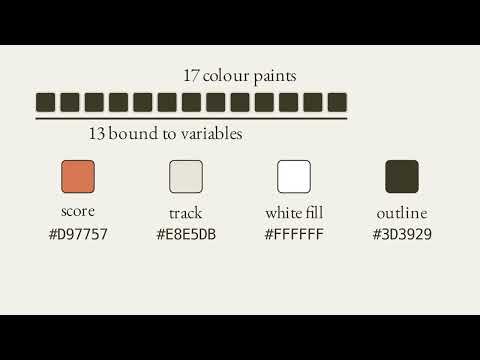
Just loops back to the start. That's exactly the kind of thing a student test would catch. The receipts, 13 of its 15 Figma calls, and no AI credits. Four variable modes worked on the education plan. And when the agent read the design back as code, the colors survived as variables, but the label and icon came back as plain text. Bear reviewed it the next day from an educational perspective and agrees with its point. His note isn't in a chat thread, it's in Figma, a review annotation on the tutor answer card itself. The next agent to read that card should get the note, too. So, an agent read it back. The four states came back as one component, and the note wasn't in it. On a single card in another film's file, it does come back. And if someone else had to look, a small script would tell them on Slack, Discord, or email with a link, not a copy. No one else did, so nothing was sent.
Verdict
[3:16] Let's recap with Claude. Can Figma express uncertainty states clearly enough to test? Strong for tonight. Four states driven by variables, clickable, built on the first try, inside the budget. Whether students read them the way they're meant is not something an agent can answer. The student test decides the rest. Your turn. Paste this
Your Turn
[3:33] Into Claude. Here's an answer an AI tool gave me. Paste it. Rewrite it as four cards, confident with a source, partly sure, I don't know what the next step, and one that asks my permission before acting. Then, tell me what a student might misread in each. The last line is the point. It makes you predict the misreads before anyone tests them. Next on this playlist, when Bear runs it, three students click through these cards. And we find out what they actually misread. Designing I don't know at Nick Bear Brown.