Building Clawd: Code to Gameplay, One Change at a Time | CSYE 7270
Trace seven exact source excerpts directly to their visible results in Godot: Clawd geometry, state selection, movement and collision, jumping, pause, finish, and the animation gallery. Liam explains the separation between character art and unchanged game mechanics. Built with Brutalist godot-gamedev walker.
Trace seven exact source excerpts directly to their visible results in Godot: Clawd geometry, state selection, movement and collision, jumping, pause, finish, and the animation gallery. Liam explains the separation between character art and unchanged game mechanics. Built with Brutalist godot-gamedev walker.
Professor Bear is doing Assignment 1 alongside the class. This is iteration one, not a finished assignment: change the main character to Clawd while preserving the starter level and mechanics. Task mini-goals, the final agentic-loop goal, new hazards, and the required level extension come later.
Start early. Make one improvement, inspect it, then make another improvement or test next session. A failed attempt is useful evidence when you record what it ruled out. Keep an honest Frictional log and identify human and AI contributions. Do not invent days of work or tests you never performed.
GAME AND SOURCES Clawd project: https://github.com/nikbearbrown/walker-jumpman-clawd Original starter: https://github.com/nikbearbrown/walker-jumpman Walker: https://github.com/nikbearbrown/walker Brutalist: https://github.com/nikbearbrown/brutalist.art Course playlist: https://www.youtube.com/playlist?list=PLMhsxBEsgHFU AI Policy for Professor Bear's Courses: https://youtu.be/8Ut0Cdl6vMw
EVIDENCE AND LIMITS Actual Godot output uses scripted normal keyboard and mouse inputs, not a human playtest. Gallery and collision-reference views are labeled diagnostic demonstrations. Replayed footage is identified as the same captured take, not a new test. The wider arms still extend beyond the unchanged collider. Human judgment is needed to decide readability, fairness, and the next revision.
PRODUCTION Liam is an AI narrator using local Kokoro speech synthesis, not a recording or clone of Professor Bear. Suggested Claude prompts and Godot editor reconstructions are labeled. Native 3840 x 2160, 30 fps landscape master, optional English closed captions, no burned-in captions. Regular Brutalist outro. Clawd/Claude are associated with Anthropic; this is an independent educational project, not an official Anthropic or Godot product.
Transcript
A lightly formatted transcript of the video, with timestamps so you can jump to any section on YouTube.
[0:00] Please use Walker to convert my game design document about a coding agent platformer into one small revision. Put Claude in the existing level. Preserve the mechanics. I'm Liam in for Professor Bear. His project is Walker Jumper Claude. The opening prompt is a suggested handoff, not a saved conversation. We have changed the character, not completed the assignment. Claude now moves through the existing first steps level. The physics and layout remain the starters. A separate gallery contains 18 animations. Task mini goals, new hazards, and the required level extension are later decisions. This is the first revision of a semester-long example. Predict what might break, build one change, play it, inspect the evidence,
[0:40] Revise, then record the version. Here the prediction is specific. Claude's wide arms might make the unchanged collision box misleading. A small experiment gives us a question to answer. Changing the character, level, and physics together would make that answer harder to isolate. The project still starts from main.tscn. The session constructs platforms, hazards, player, camera, and a separate interface layer. Claude art is a drawing helper called by the player. There is no imported sprite sheet, animation player node, or hidden agent service. The coding agent is the character's theme, not an autonomous player. The rectangle shape is 18 by 28, centered 14 units above the player's origin. That places the reference at the
[1:21] Feet. We preserve this code. Changing the picture does not change this collider, and testing the drawing alone cannot establish that the visual boundary feels fair. The blue outline is the collision reference. The orange arms extend beyond it. Both views are enlarged, staged godot drawings, not gameplay. We have exposed the design question instead of quietly widening the collider. That would change which hazards and landings collide, so it deserves its own prediction and regression tests. This selector reads the session result, then grounded state, and horizontal speed. Completion celebrates, failure uses error, air uses the jump pose, and speed chooses walk or run. These names do not add inputs. Run is an animation
[2:01] At the existing speed, not a new sprint button. Watch Claude start, move, break, and stand still. The faster leg motion belongs to the existing velocity. It is not driving the body. The controller remains authoritative. The capture exercises both directions and opposing inputs. Judge the silhouette while it moves, not only when a character sheet looks tidy. The paint helper treats airborne rendering specially. It samples the library's apex pose, then removes the gallery's decorative vertical jump offset. The character body supplies the actual trajectory. Without that separation, the drawing could appear to hop independently of the collider, making a valid landing look wrong. The character takes off and lands once.
[2:41] Holding the button does not cause another jump, and the midair press does not add a double jump. The new art stays attached to the body's trajectory. This is the visible consequence of separating display animation from the game's physical movement. This small read-only method translates the existing session state into presentation context. Complete, failed, and paused are descriptions for the drawing layer. The method does not change state, grant completion, or postpone a retry. Keeping ownership here prevents a missing or slow animation from deciding whether the game recovers. Claude reaches the spike, reacts, and returns to the start on the existing timer. The brief error animation does not have to finish before the game can
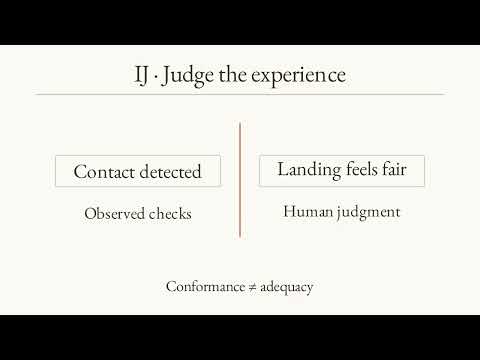
[3:21] Reset. This is a small example of a useful boundary. Presentation describes the outcome. The session decides the outcome. The frame update returns immediately when the session says paused. Otherwise, it chooses a pose, resets the animation clock on a pose change, advances time, and requests a redraw. None of those lines update velocity or collision. Pause therefore freezes the pose without replacing the original player physics function. The jump and its pose hold during pause, then resume. The captured sequence also retries and returns to the menu with focus loss explicitly simulated. Machine check support these observations. A human still needs to judge whether the controls and feedback are
[4:01] Understandable. A passing script is not that judgment. The solids hazard and finish coordinates are unchanged. The session builds their collision and drawing. Its camera follows the player within the same bounds. The interface still displays the original progress and retry information. No task checkpoint was added just because the character now represents a coding agent. Follow the unchanged route to the flag. The camera scrolls, the progress bar advances, and completion offers replay. Claude celebrates, but this is the starter's finish condition. The future full loop goal requires new state, reset rules, tests, and a design decision. Today, we have evidence for this route only. The original 25 mechanics checks and
[4:42] Nine keyboard checks pass. A separate test compares 162 animation samples with brutalist type script reference and checks presentation selection. These are machine checks including staged fixtures. The recording driver uses normal input instead. Neither kind proves that Bear likes the character or that another player understands it. A first scene can appear quickly. Refinement is where the work continues. Make an improvement today, come back for another improvement or test in the next session. If an attempt does not work, record what you tried, observed, and learned in frictional. Do not manufacture struggle or pretend these changes happened across several days. This iteration's entries are from one actual session.
[5:21] Bear's longer-term idea is a coding agent crossing mini goals. A task completed, another task checked, and eventually a full agentic loop finished. Those are design notes, not features in today's build. The level extension is still required for assignment one. Starting with Claude's appearance, let's Bear decide the next step from something he can actually play. The gallery chooses six names for its current page and calls the same painting helper used by the player. This keeps the preview connected to the real implementation. The next three pages show all 18 available animations. Only the smaller state-driven subset is connected to gameplay. A preview does not create an ability.
[5:58] Idle, bounce, wave, look, walk, and run. Watch the four legs alternate and the eyes scan. These are actual Godot Gallery previews of the ported library. Bounce and wave are available artwork, not player commands in this level. The gallery lets us judge options before choosing more behavior. Think, type, sleep, error, nod, and shake. Their names suggest possible future coding agent moments, but naming an animation does not implement a task system. Error currently reacts to failure. The others remain catalog options. Choose a future state for a reason, then test whether the animation communicates it. Dance, stretch, crouch, jump, spin, and celebrate. Spin flips horizontally instead of rotating the pixel
[6:38] Rectangles. The gallery jump is decorative. Gameplay uses its held pose while physics moves the body. Celebrate is connected to the current finish. All 18 are here to inspect, not a promise of 18 powers. The verdict: one recognizable character change, preserved mechanics, and a visible question about collision. The I wrote and tested the implementation. Bear supplied the intent and chooses what deserves another iteration. Start early enough to inspect the result. A test that reveals a problem can move the project forward without making the feature complete. Your turn. Please inspect Walker Jumpman Claude. Propose one visual improvement and one test. Preserve the mechanics and log the result in frictional. Before
[7:17] Accepting the change, check that it answers a specific observation, leaves the existing controls intact, and names what the test does not establish. Then let a human play. Liam, in for Professor Bear. >> Nick Bear Brown teaching Claude. Nick Bear Brown teaching Claude. >> [bell]
More from CSYE 7270 Virtual Environments and Real-Time 3D
 4:29
4:29Godot Walkthrough Skill | Turn Gameplay into an Explainer
 6:16
6:16Clawd in Walker Jumpman: First Playthrough | CSYE 7270
 3:45
3:45Godot Game-Development Skill | Explain Code, Components, and Art
 1:08
1:08My Email Policy (Professor Bear)
 13:26
13:26Your First 3D Game Assets with Claude and Blender
 10:04
10:04