Putting Muse Through Its Paces
Muse for Educational AI, video 1 of the series: start here.
Putting Muse Through Its Paces
Muse for Educational AI, video 1 of the series: start here.
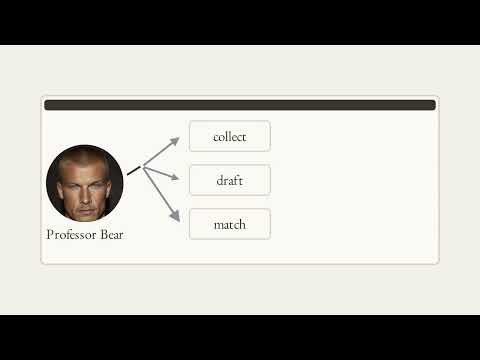
Bear is going to run Muse, Meta's personal AI agent, on his own assignments and other useful work, and report honestly what it can and cannot do. This film sets up the project for students who will use Muse for coursework: how to do it so the work comes out better, so you still learn, and so you are conducting the AI instead of handing it "do my assignment." It uses Meta's own public pages and a 2025 study in the Proceedings of the National Academy of Sciences, and it says plainly that nothing in the series has been properly tested yet: so far the evidence is Bear's own runs, in logs Muse wrote about itself.
Narrated by Liam, in for Bear. Narration is an AI voice; the film was made with AI tools.
Chapters 0:00 Opening: the series and this film 0:25 Five terms 0:42 The project 1:57 Three questions 3:32 The method 4:42 Ground rules 5:41 Recap 6:01 Your Turn
Your turn Paste this into Muse: Here is my assignment, pasted below. Do not start the work. First tell me, in your own words, what you think it is asking, the steps you would take, and the two places you are most likely to get something wrong. Then stop and wait for me to correct you. Then check two things yourself. Did Muse stop and wait, instead of starting? And did you change at least one thing about its reading before you said go?
Sources shown on screen Meta's public Muse pages (muse.ai, Muse Supplemental Terms of Service, and the Meta help pages on Muse subscriptions and on working with your guidance and approval), captured on 2026-10-08. Bastani et al. (2025), Generative AI without guardrails can harm learning: Evidence from high school mathematics, PNAS 122(26), e2422633122. Nothing here is a product endorsement.
@NikBearBrown
▶ The full series playlist — Brutalist https://www.youtube.com/playlist?list=PLG9H-C6rp5RU
What this video covers
- 0:00 — Opening: the series and this film
- 0:25 — Five terms
- 0:42 — The project
- 1:57 — Three questions
- 3:32 — The method
- 4:42 — Ground rules
- 5:41 — Recap
- 6:01 — Your Turn
Transcript
A lightly formatted transcript of the video, with timestamps so you can jump to any section on YouTube.
Opening: the series and this film
[0:00] Muse for educational AI putting Muse through its paces. Bear is running Muse on his own assignments and reporting what it can and cannot do. This first video sets the method so you can use Muse for coursework, get better work and still learn. Hello, this is Liam in forbear. A student can now hand Muse a whole assignment and it costs nothing up to a limit. So the question is not whether Muse can do the work, it is who directs the work, Muse or you. Five
Five terms
[0:25] Terms. Muse Meta's personal agent which works on its own computer in the cloud. Agent, a program that works through steps on its own. Token, a small chunk of text, the unit that use is counted in. Usage limit, how much you can use free before waiting or paying. And work log, a dated record of what you asked, what came back, and what you decided.
The project
[0:43] This playlist is a project. Bear says he will use Muse on his own assignments and on any other work he finds useful. Then he will report plainly what it can do and what it cannot. Muse is Meta's personal agent. Its front page leads with errands like sorting your email and booking reservations. Underneath, you give it a goal and it works through the steps on its own cloud computer. Before actions like sending an email or making a purchase, Meta says Muse asks you first. Its own page shows what that looks like, the order, the total, and two buttons, allow deny. Using it is free up to a limit. Meta's help page says that if you reach the free limit, you
Can upgrade to a paid plan or wait until the limit refreshes. Bear says the free allowance is about a 100 million tokens a month. By his account, that is enough for most students to run all their coursework through Muse for free, and he suspects some will. Meta's help page prints no number for the free plan. It prints weekly allowances only for the paid ones, 500 million tokens at $20 a month, 3 billion at 100. Check the usage section in your own settings, and it can change. Meta's terms say it may modify or stop offering Muse for free at any time without prior notice. So, what this series teaches has to hold up when the allowance changes. This series answers
Three questions
[1:58] Three questions. What can Muse do and what can it not? How do you get better work out of it? And how do you still learn while it helps? Start with what it cannot do. Meta's own terms warn that Muse's outputs may be inaccurate, incomplete, or contain material errors even when they look accurate. and they say not to rely on any output without independently confirming it. Bear has seen this. In one run, Muse wrote a program to score 714 job postings. Its first output put 633 of them in one bucket. Muse's own log calls that noise and says Muse spotted it. Muse also did something right. In another assignment, two parts were defined nowhere in the files. Muse did not make them up. It said so in its log and asked Bear to define them. Second question, better work. In
Bear's experience, a run where he stops and checks each phase makes a better product because mistakes are caught while they are small. That is a claim to test, not a result. Third question, learning. In a 2025 study in the proceedings of the National Academy of Sciences, nearly a thousand high school math students got an AI tutor. Some got a plain chatbot, others a tutor with safeguards. While they practiced, the plain chatbot lifted grades 48%, the safeguarded tutor 127. Then the AI was taken away. Students who had used the plain chatbot scored 17% lower than students who never had it. The safeguarded tutor mostly erased that harm, though it did not raise exam scores either. Its main safeguard, the authors say, hints instead of answers. The idea to test, ask Muse for hints and checks, not finished answers. There are
The method
[3:33] Two ways to use Muse on an assignment. Hand it over, give the task, wait, take back whatever arrives, or conduct it. You set the problem. Muse does a step. You check it. And you decide what comes next. Meta's own help page recommends the same posture. Muse can make mistakes or take unexpected actions. So start with low-risk tasks. Watch what it does and ask it for the sources behind its answers. Meta's terms go further. By using Muse, you agree to keep meaningful human oversight of what it does, and you accept responsibility for the accuracy of its output as if you had made it yourself. Bear's framework names five jobs
That stay with the human. Audit, does this look plausible? Frame. What is the real problem? Orchestrate which tool does which step. Judge, what is still missing? Integrate. Hold it together and sign it. In practice, that comes down to three habits. Say the problem first and have Muse repeat it back. Stop it after each step and read what it made. Ask for its sources and check the ones that matter. Bear's line is that Muse does the agentic work. in the log so far. It wrote code, pulled job boards, scored postings, and built films. You do the human work, decide the problem, judge what is plausible, and put your name on
Ground rules
[4:42] It. Rule one, real logs. Every film works from a dated log of what was asked, what came back, and what was changed. Here is a real one printed from its file. If it is not in a log, the film does not claim it. Rule two, nothing cherrypicked. A run that went wrong stays in at the same weight as one that went right. A series that only showed the wins would be an advertisement. Rule three, say who did what, what muse did scored 714 postings. What the human decided bear picked designer advocate, even though engineering roles scored higher. What a doubt caught 633 in one bucket. In a plain statement of what is tested so far, Bear's own runs on parts of his own assignments, and the logs Muse wrote about its own work. Not yet a sidebyside comparison, any measure of learning or anyone else's results. Before you start three checks, Meta's terms say you must be 18 or older. They also let Meta use your content to improve its AI, unless you opt out under data controls, and your school's own AI rules come first.
Recap
[5:42] Let's recap with Claude. Muse is free up to a limit, and Meta can change that. So, the question is how, not whether. This series asks what Muse can and cannot do, how to get better work, and how to still learn. You conduct it, frame the problem, check each result, and keep the oversight that Meta's terms require. And every claim comes from a real log. Failures included with only Bear's own runs tested so far. Your
Your Turn
[6:02] Turn. Paste this into Muse. Here's my assignment. Pasted below. Do not start the work. First, tell me in your own words what you think it is asking the steps you would take and the two places you are most likely to get something wrong. Then stop and wait for me to correct you. Then check two things yourself. Did Muse stop and wait instead of starting? And did you change at least one thing about its reading before you said go? Putting Muse through its paces at Nick Bear Brown.