Guiding Your Agent: HPC.md and AICR.md
Why an AI agent on a shared cluster needs written rules, and a walk through the two rule files that give it them: HPC.md for any shared cluster (written for Northeastern's Explorer) and AICR.md for what is different or stricter on the AICR GPU cluster. Part of the series Research Computing on Explorer and AICR. Liam,…
Guiding Your Agent: HPC.md and AICR.md
Why an AI agent on a shared cluster needs written rules, and a walk through the two rule files that give it them: HPC.md for any shared cluster (written for Northeastern's Explorer) and AICR.md for what is different or stricter on the AICR GPU cluster. Part of the series Research Computing on Explorer and AICR. Liam, in for Bear, narrates.
Get the files (free): https://github.com/nikbearbrown/hpc-aicr/tree/main/skills HPC.md is in the hpc folder. AICR.md is in the aicr folder.
Chapters 0:00 Opening 0:13 The idea 0:26 Terms in this lecture 0:42 I · Why An Agent Needs Rules 1:35 II · Walking Through HPC.md 5:11 III · What AICR.md Changes 6:59 IV · Rules Born From Real Mistakes 7:41 V · Using The Files 8:26 Recap 8:51 Your turn
Your turn. Paste this into Claude: Read the files HPC.md and AICR.md completely. Do not run anything on any cluster. Then tell me the five hard nevers that matter most for my task, which questions you would ask me before your first command, and anything in the files that you could not confirm. My task: [describe your job in one sentence]. Then check two things yourself: did Claude run nothing on a cluster? It should only read the two files. Did it say what it could not confirm? A good answer names the unverified parts.
Sources
- The two files themselves, read in full: hpc-aicr/skills/hpc/HPC.md and hpc-aicr/skills/aicr/AICR.md in the repository above. Excerpts on screen are verbatim; long lines are cut at a word boundary. Act IV shows a real working session on Explorer.
- Questions about the clusters: rchelp@northeastern.edu.
Made with the brutalist.art toolkit: Manim, Remotion and Kokoro, free and local. Narration is synthetic (Liam, in for Bear). This is an independent educational film, not an official Northeastern publication.
What this video covers
- 0:00 — Opening
- 0:13 — The idea
- 0:26 — Terms in this lecture
- 0:42 — I · Why An Agent Needs Rules
- 1:35 — II · Walking Through HPC.md
- 5:11 — III · What AICR.md Changes
- 6:59 — IV · Rules Born From Real Mistakes
- 7:41 — V · Using The Files
- 8:26 — Recap
- 8:51 — Your turn
Transcript
A lightly formatted transcript of the video, with timestamps so you can jump to any section on YouTube.
Opening
[0:00] Research Computing on Explorer and AICR guiding your agent. HPC.md and AICR.md why an agent on a shared cluster needs written rules and a walk through the two rule files that give them.
The idea
[0:14] Hello, this is Liam in forbear. First a correction to let an agent work on a cluster. You do not just say run my job. The cluster is shared and the agent is fast and literal. You give it two short rule files first and you point it at
Terms in this lecture
[0:26] Them. Five terms. A rule file. A plain text file. while the agent reads before it acts. A hard never, a rule with no exceptions. A login node, the shared computer you land on when you connect. A slurm job, your request for compute node written as a script. And fair share, the priority you lose when you ask for more
I · Why An Agent Needs Rules
[0:42] Than you use. An agent is fast, literal, and never tired. That is the good news. On a shared cluster, it is also the risk. It will do exactly what you asked as many times as you asked, and it will not feel the cost to anyone else. Most trouble on a cluster is not hard computer science. It is work on the wrong machine. It is a request far bigger than the job and it is a check that passes when it should fail. These are quiet failures. Nothing crashes and you find out later. So there are two files. HPC.md holds the rules for any shared cluster written for Northeastern's explorer. AICR.md builds on it and adds what is different or stricter on the AICRGPU cluster. Read the first then the second. You do not paste either file into your instructions. You put one line in your claw.md or agents.mmd and the agent reads the files when the work is cluster work. Here are the two lines copied from the files themselves. Open the file
II · Walking Through HPC.md
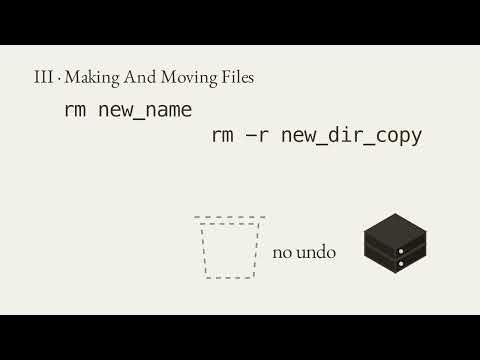
[1:37] Hpc.md and the first thing you see is not a rule. It is a short summary what it is, why it exists, what was found, and what is not verified. Then a line that says everything below is for the agent. Then 14 numbered sections 0 to 13 and an honest appendix of conflicts. Section zero is the prime directive. The agent does the pipeline work. Inspect, measure, size, check, keep records. The researcher keeps the judgment, what to spend, who gets access, and anything that cannot be undone. Look before you act, measure before you change, ask before you spend, delete, or share. Section one is the list the agent checks before every command. Never run computation on a login node. Never ask for read or print a password or a key. Never delete without listing what will go and getting a yes. Never submit a job until you have confirmed what it asks for. Never cancel with sanc- and never invent a flag, a module, or a limit. Notice that every
Never comes with a because a rule the agent understands is a rule it can apply to a case the file never listed. And some rules are labeled house rule because they are our judgment, not the cluster's policy. Section two is before the first command. If a readonly command can answer a question, the agent runs it instead of asking you who am I, where am I, which groups, what is free. It asks only what only you can answer. Your access, what it may submit, whether the data is restricted, and what you are trying to do. Section 4 stops the agent asking for more than it needs. Is parallel even the answer? In research computing's own benchmark, one core took 250 seconds, eight cores took 29, 12 cores took 33 slower than 8. Never promise that encores is n times faster. Section five. Every script states its numbers, partition, time, memory, cores, a name, and a log file. Time is the expected runtime plus about 20%, never the maximum just to
Be safe. And memory is computer memory, not GPU memory. Section six is GPUs. Never trust the allocation. A job that worked may have run on the processor with no error. So every GPU script proves the GPU is there before the expensive part, the device name, the memory, and a number that travels to the GPU and back. Section seven is where files live, code and environments in home, temporary job data in scratch, which is wiped on the first Tuesday of every month, anything you keep in projects and the agent never keeps the only copy of anything in Scratch. Section 8 is software in order. First a module, then a container built on your own machine, then a source build, and a tool like Spack only last because each step down costs more to keep before installing anything. The agent checks whether a module already exists. Section 9 is the record every job leaves behind, the job and node when it started, the git commit it ran from, the exact command,
The parameters, the seeds, the inputs, the software, and the hardware it really used, 12 items so a stranger can rerun it. Section 10 is about being an agent on the cluster. The researcher creates and unlocks the key, never the agent. If a command prompts, hangs, or says permission denied, the agent stops and reports the exact error. It does not retry in a loop, and it never asks for a password. Section 12 is a list of things the training slides get wrong. A comment after a line continuation, which breaks the command, a partition called compute, which does not exist, a sample script with no time and no memory. The agent is told not to copy them. And the appendix is the honest part where the sources disagree. The file says so and picks the safe reading. The scratch quota 50 terabytes in the slides 20 on the policy page. So the agent is told never to quote a number. Rules marked house rule or inferred are our judgment not policy.
III · What AICR.md Changes
[5:13] Now AICR.md it builds on the first file and where the two differ wins on AICR. Explorers hosts partitions storage rules and module setup do not carry over. The first rule of the second file assume AICR is not explorer. AICR differs in ways that bite. Your username is built differently. There is no password only a key and a certificate. The partition decides which GPU you get. Idle GPUs are canceled automatically and scratch is purged after 30 days with no off-site backup. AICR's own nevers are specific. Never run SSH add- capital D because it empties every key. Never source activate in a batch script because a real job died on it. And never copy the workshop's GPU check because it exits zero even when the GPU is missing. Section five is a template built from flags that real completed jobs used. Every setting is stated. The environment is added to the path not activated and the
Script fails itself on purpose if the GPU is not visible. After every batch job, the agent runs job stats, a command that exists only on AICR. Its real example, a job that asked for 8 hours and ran 55 minutes with the GPU 80% busy. The targets are written down over 70% GPU use is acceptable and under 50 is a problem. Section 11 is lessons from real AICR runs and they are all quiet failures. A checkpoint that loaded without error and left random weights. An input clip so quiet it produced silence. A cached file served under the same path after it was replaced. Each became a rule. Prove the weights loaded. Gate every input with a number. Give a replaced file a new name. And before any GPU job, the agent asks only what only you can answer, your username and account, whether any data is restricted, whether it may submit for you, and what
IV · Rules Born From Real Mistakes
[6:59] Success looks like. Rules also come from mistakes. While making the film about rendering on Explorer, the agent listed every folder under projects that showed other people's names. Then it ran a disc usage command over a shared folder and it hung. Neither was forbidden by the file. Now both are another a job script began with module purge that removed the module that sets the cluster's proxy. So every download timed out. A oneline test showed the network was fine. Now the file says module purge can remove your network. So load that module again. And a third the scripts assumed scratch belonged to the user on this account. It belonged to root and refused every write. The agent had checked with a read first which is exactly what the file asks. Now the file says why test before
V · Using The Files
[7:42] You write. where to find them. Both files are free on GitHub in the HPC- AICR repository inside the skills folder. HPC.md is in the HPC folder and AICR.MD is in the AICR folder. The link is in the description. To use them, put both files where your agent can read them. Add the one line to your claw.md or agents.md. And at the start of cluster work, ask the agent to say back which rules apply before it runs anything. The files do not replace judgment. Nothing in any policy page says whether automated agents are allowed on Explorer or AICR. So the files say to ask research computing once and every claim is labeled by how we know it from the sources from a real run or our own
Recap
[8:27] Judgment. Let's recap with Claude. An agent is fast and literal. So a shared cluster needs written rules. HPCMD holds the general rules. Never compute on a login node. Ask before you spend. Verify the GPU. AICR.MD MD adds what is stricter. No idle GPUs, no source activate, and scratch is purged. Every rule comes with a because real mistakes become new rules. And one line in your instructions points the agent at both
Your turn
[8:52] Files. Your turn. Paste this into claude. Read the files HPC.MD and AICR.MD completely. Do not run anything on any cluster. Then tell me the five hard nevers that matter most for my task. Which questions you would ask me before your first command and anything in the files that you could not confirm my task? Then describe your job in one sentence. Then check two things yourself. Did Claude run nothing on a cluster? And did it say what it could not confirm? Guiding your agent. HPC.md and AICR.MD at Nick Bear Brown.