Running a Local LLM on Explorer
How to run an open model on a Northeastern Explorer GPU and point a coding agent such as Claude Code at it: what it saves (no per-token billing), what it really costs (queue time, fair share, an idle-GPU watcher), the wrong turns to avoid, the setup, and two ways to use it. Part of the series Research Computing on…
Running a Local LLM on Explorer
How to run an open model on a Northeastern Explorer GPU and point a coding agent such as Claude Code at it: what it saves (no per-token billing), what it really costs (queue time, fair share, an idle-GPU watcher), the wrong turns to avoid, the setup, and two ways to use it. Part of the series Research Computing on Explorer and AICR. Liam, in for Bear, narrates.
Want instructions you can paste to get started? A get-started recipe for Claude Code, with the scripts it installs: https://github.com/nikbearbrown/hpc-aicr/tree/main/skills/local-llm-on-explorer It has not been run end to end yet. Anthropic does not support pointing Claude Code at non-Claude models, so this works through documented settings but is an unsupported route.
Chapters 0:00 Opening 0:12 The idea 0:27 Terms in this lecture 0:41 I · The Idea And Its Layers 1:37 II · Wrong Turns To Avoid 3:34 III · One-Time Setup 4:55 IV · Choose A GPU And A Model 6:13 V · Pattern A, On The GPU Node 7:42 VI · Pattern B, From Your Laptop 8:49 VII · Other Coding Agents 9:31 VIII · When It Breaks 10:16 IX · The Cluster's Rules 12:16 X · What To Expect 13:03 XI · Get Started 13:29 Recap 13:58 Your turn
Your turn. Paste this into Claude: I want to run a local model on Explorer for coding. Walk me through choosing between Pattern A and Pattern B. List which commands run on my computer and which on the cluster, which ones would submit a job, and the five questions I should ask Research Computing first. Do not run anything on any cluster. Then check two things yourself: did Claude run nothing on a cluster? Did it say what it could not confirm, such as whether agent access is allowed?
Sources
- A tutorial on running Ollama in a container on an Explorer GPU with Claude Code, Aider and Continue, checked against Ollama, Claude Code and Northeastern Research Computing documentation. Every script line on screen is read from it; no command output is shown, because none was recorded. The setup was documented, not run end to end.
- Read-only checks on Explorer (partitions, an H200 type, Apptainer on the login node, the proxy module, a scratch folder that was not writable on one account).
- Questions about the clusters: rchelp@northeastern.edu.
Made with the brutalist.art toolkit: Manim, Remotion and Kokoro, free and local. Narration is synthetic (Liam, in for Bear). This is an independent educational film, not an official Northeastern publication.
What this video covers
- 0:00 — Opening
- 0:12 — The idea
- 0:27 — Terms in this lecture
- 0:41 — I · The Idea And Its Layers
- 1:37 — II · Wrong Turns To Avoid
- 3:34 — III · One-Time Setup
- 4:55 — IV · Choose A GPU And A Model
- 6:13 — V · Pattern A, On The GPU Node
- 7:42 — VI · Pattern B, From Your Laptop
- 8:49 — VII · Other Coding Agents
- 9:31 — VIII · When It Breaks
- 10:16 — IX · The Cluster's Rules
- 12:16 — X · What To Expect
- 13:03 — XI · Get Started
- 13:29 — Recap
- 13:58 — Your turn
Transcript
A lightly formatted transcript of the video, with timestamps so you can jump to any section on YouTube.
Opening
[0:00] Research computing on Explorer and AICR. Running a local LLM on Explorer. How to run an open model on a cluster GPU and point a coding agent like Claude Code at it, what that saves, and what it really costs.
The idea
[0:13] Hello, this is Liam in for Bear. First, a correction. A local model on the cluster is not free and always running. It runs inside a GPU job you ask for. There is no per token billing, but the cost moves to queue time and fair share.
Terms in this lecture
[0:27] Five terms: Ollama, the program that serves an open model. Apptainer, a tool that runs containers without root. A Slurm job, your request for compute node. A harness, the coding agent that sends the requests. And a context window, how much text the model can see
I · The Idea And Its Layers
[0:41] At once. Here's the idea. You ask Slurm for a GPU. On that GPU, you run an open model. And a coding agent like Claude Code sends it requests and runs tools on your files. There is no per token bill because the model is yours for as long as the job runs. There are three layers. The model host is Ollama inside an Apptainer container on a GPU node that Slurm gave you. The harness is the coding agent, Claude Code, Aider, or Continue. And the transport is whatever joins them. Nothing if they share a machine or an SSH tunnel. Pattern A keeps everything on the GPU node. The agent and the model run in the same job, so nothing crosses a network, and your code stays on Northeastern storage. Use it unless you have a specific reason not to. Pattern B keeps your editor on your laptop. Only the model's traffic goes to the cluster through an SSH tunnel to the login node and on to the GPU node. So, the model must be reachable from the login node, and that needs a lock in
II · Wrong Turns To Avoid
[1:37] Front of it. Advice that circulates about this setup has traps. First, the network. Ollama has no authentication, and its container image listens on every address by default. On a shared cluster, that opens the whole interface, including pulling and deleting models, to anyone who can reach the node. Inside Apptainer, the image zone setting beats a plain export from your shell. So, pass the address with the N flag bound to localhost on a random port. That is what the start script does. Second, the address. Claude Code adds /v1/messages itself, and the documented examples give a bare host and port. A base address that already ends in /v1 doubles the path, and the request fails. Give it the bare host and port. And the tunnel, localhost on the far side of a tunnel means the login node, not the machine running your model. The target has to be the compute node because research computing does not support SSH straight into a GPU node. Third, the model names.
Claude Code uses its small model for background tasks in a separate setting for sub-agents. Unless you point those at your local model, Ollama can be asked for Claude models it does not have. So, the script sets the small, medium, and large names in the sub-agent model to one local model. Fourth, context. Ollama sizes its default window by video memory. 4,000 tokens under 24 GB, 32,000 up to 48. Claude Code's instructions and tool list alone overflow a small window, and the overflow is cut without any error. Ask for 65,536 or more. Fifth, the model. A 1 and 1/2 billion parameter reasoning model cannot reliably drive an agent loop with dozens of tool definitions. Use a tool-capable coding model in the range of 20 to 120 billion parameters. And drop the word zero marginal cost. GPU hours count against fair share. You wait in a queue, and an idle watcher cancels jobs. The accurate claim is no per-token billing. The cost moves to queue time, fair
III · One-Time Setup
[3:34] Share, and capability. Setup starts with one small environment file. It says where the images, the models, and the container cache live. The default is scratch, which is purged on the first Tuesday of every month. Model weights belong in project space, and on one real account scratch was not even writable. Apptainer otherwise caches into a hidden folder in home and home fills first. So, point its cache and temporary folders at your own storage and pull the images there on a compute node rather than the login node. Then two pulls, Ollama and a small web server called Caddy that the laptop pattern will need. Check the version it prints. You need 0.14 or later. And once something works, pin the version instead of latest so a
Whole class does not drift. The start script runs inside every GPU job. It picks a random free port, binds Ollama to localhost only, sets the context length, and defines an Ollama function that talks to your server, not the container's default port. The Claude code script sets the base address to your port, a placeholder token, and every model alias to your local model. Look at the first line. It clears any real API key, which would otherwise be sent to whatever is listening at that address. Pattern B needs one persistent token, a random number kept in a file only you can read. Regenerate it anytime to revoke access. Then leave the setup node and install Claude code on the login node. It is a small download. Two
IV · Choose A GPU And A Model
[4:57] Numbers decide whether this works. The model's weights must fit in video memory, and there must be room left for the context window's cache. If either spills over, Ollama pushes layers onto the processor, and generation slows to a crawl. Models that fit by download size. The 20 billion GPT-OSS is about 14 GB. The 30 billion Qwen 3 coder is about 19. GLM 4.7 flash is also about 19 to download, but Ollama puts it near 23 of video memory at 64,000 context. And the 120 billion GPT-OSS, about 65 GB, is the strongest of these that fits on one card. Before you pull any model, check its page for the tools label. A model without tool calls as plain text instead of running them. The GPU partition gives one GPU per job, so stay inside one card. An H200 has about 140 GB, and every model on that list fits with room for a large context. Older cards like V100 and T4 may fall back to the processor, so check the log and ask for a newer type. On context, 65,000 is the floor for coding agents, and on an H200, you can raise it for long sessions. If memory is tight, storing the cache at 8 bits roughly halves its size at a
V · Pattern A, On The GPU Node
[6:13] Small cost in quality. Start with an interactive GPU session. The GPU interactive partition defaults to 1 hour, allows two, and gives one GPU. Asking for a specific type can lengthen the wait, and consider tmux first, so a dropped connection does not kill your session. Source the start script, pull the model, then prove it. Send one message to the Anthropic compatible address and run Ollama PS. The processor should read 100% GPU, and the context should match what you asked for. Configure Claude Code for the session, go to your project, and start it. Inside, run /status to confirm it is using your local address and not Anthropic's. Know the limits. Anthropic's documentation says it does not support pointing Claude Code at non-Claude models, so this works through documented settings,
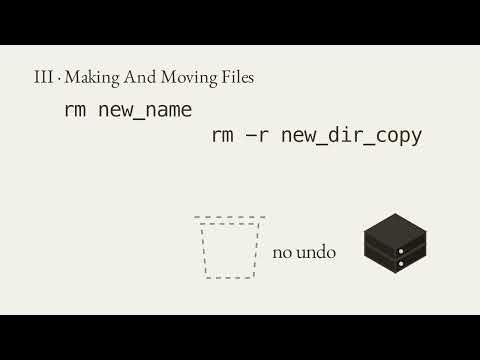
But is an unsupported route. Claude Code's built-in web search runs on Anthropic's own back end, and Ollama's layer does not fully support hosted web search. Prompt caching is not supported, either. So, long sessions slow down as the context grows because nothing is cached. Keep tool servers few since every definition uses context, and when you finish, exit twice, Claude Code, then the job, which returns the GPU. For unattended work, run Claude Code headless inside a batch job. The GPU stays busy for the whole job, so the idle watcher leaves it alone. Put the repository on a fresh branch and review the diff before you merge anything. Accept edits lets it change files and simple file commands like move and remove inside the project. Other commands still need permission.
VI · Pattern B, From Your Laptop
[7:43] Pattern B needs a lock. The laptop reaches the node through the login node, so something has to listen on the node's cluster network. Ollama stays on localhost. A small web server, Caddy, listens instead and rejects every request that does not carry your bearer token. Here is the proxy's whole rulebook. Requests with the right header go through to Ollama. Everything else gets a 401, and the admin interface is switched off because it would open yet another port with no lock. On your laptop, a small script reads which node your job landed on, checks that the job is still running, writes a private environment file, and opens the tunnel. The local port is 11435, so it does not collide with an Ollama on your laptop. Check the lock. The first command should print 401 because it carries no token. The second sends your token and should return a short message. Then start Claude code from your project in that same terminal. Two risks remain. The proxy blocks the rest of the cluster, but Ollama's own random port is still reachable by other users on the same node. A random port is obscurity, not security, and your token sits in plain text on your laptop. When
VII · Other Coding Agents
[8:49] You finish, cancel the job. Either on the node, use the Ollama_chat prefix. From the laptop, through the proxy, use its OpenAI compatible mode because its Ollama provider does not send a bearer token. A warning about an unknown context window is harmless. The server enforces it. Continue in VS Code or JetBrains takes the same endpoint in a YAML file. Paste your token where it says so. The roles are chat, edit, and apply. Code X, open code, and Droid can be set up by the Ollama launch command, but only when Ollama is on the same machine at its default port. Here the port is random and behind a token in pattern B, so set them up as OpenAI compatible providers and follow each tool's current
VIII · When It Breaks
[9:31] Instructions. Four failures cover most trouble. A 404 on every request, the base address ends in /v1. A Claude model name not found, the aliases are not mapped. Tool calls printed as raw text, the model has no tools label. And a split between processor and GPU, the model or the window is too big. Three more, a full home folder, the image cache or the models defaulted to home. A pull that fails on a compute node, no outbound network. On Explorer, a default module sets the proxy that nodes use. If a script begins with module purge, it loses that proxy, so load the module again right after. And one more trap, those same proxy settings can get in the way when you talk to your own local server. Research Computing's own post on running Ollama tells you to unset the proxy
IX · The Cluster's Rules
[10:16] Variables before you do. Explorer runs a watcher for idle GPUs. Under use for 50 minutes earns an email. Under use for an hour gets the job canceled. Coding is bursty with long gaps while you read, so a session you walk away from will be flagged. Never add filler work to keep it alive. Start when you sit down, cancel when you stop, and put long unattended work in batch jobs. Now the shared endpoint for a whole class. A Slurm job has a time limit, 8 hours on the GPU partition. So an endpoint built on one dies on a schedule and returns on a different node. Between requests, the GPU idles. And Ollama serves one person well. Five students at 64,000 context cost
Roughly five times the cache memory. A service for many people would usually use vLLM, which batches concurrent requests and supports API keys. Though its own documentation says not to rely on a key alone. And other people's code and prompts would then pass through a service you run. That raises questions about logging, retention, and who is responsible when it breaks. Those are questions for Research Computing, not Settings. So ask five questions. Is one person's interactive session in a GPU job acceptable? Is SSH port forwarding from a login node permitted? May a process listen on the node's network behind a token proxy? What is the preferred route for a cohort? And where should model weights live? On AICR, the newer AI compute resource
Cluster, there are 248 B200 and 152 RTX Pro GPUs, and access is by proposal. Research Computing says to develop and test on Explorer first. Whether AICR's idle rules treat a standing service differently is a question only Research Computing can answer. Here is what we have and have not checked. We have not run this whole setup from start to finish. We did check with read-only commands on Explorer the partitions that an H200 type exists, that Apptainer is on the login node, that the proxy comes from a default module, and that one account scratch folder was not writable. Research Computing has a post on running Ollama in a container. But no page we read covers coding agents or says whether automated agents are
X · What To Expect
[12:17] Allowed. Expect a weaker agent. Models in this range are capable, but Claude Code's loop is demanding. A long system prompt, dozens of tool definitions, and a growing history on every turn. Expect more malformed tool calls, more loops, and an earlier loss of the thread on big changes across many files. Where it does well, clear tasks with clear tests, bulk work over many files and batch jobs, code that should not leave Northeastern, and teaching how a smaller model differs from a frontier one. Where it does poorly, open-ended refactors, long debugging across a large code base, and anything where one wrong tool call is expensive. A practical split, the local model for drafting [clears throat] boilerplate tests and batch passes, and frontier credits for the hard problems. Measured that way, the savings are real. Measured as the same thing for free, they are
XI · Get Started
[13:04] Not. To try it, go to the HPC-AICR repository on GitHub. In the skills folder under local LLM on Explorer, there is a get started recipe. The link is in the description. Clone it, start Claude Code inside it, and paste the prompt at the top of that file. Claude Code then guides you step-by-step, and asks before every file it writes and every job it submits. It has not been run end to end yet, so
Recap
[13:29] Expect to help it fix something. Let's recap with Claude, a local model runs inside a GPU job you ask for with no per token billing. Pattern A keeps the model and the agent on one node. Pattern B adds a tunnel and a token lock. Bind to localhost, use the bare base address, map every alias, and set the context window high. Pick a tool capable model that fits video memory with room for the context. Idle GPUs are canceled. So, start when you sit down and cancel when you stop. And a shared endpoint for a class is a question for
Your turn
[13:58] Research computing, not a setting. Your turn. Paste this into Claude. I want to run a local model on Explorer for coding. Walk me through choosing between pattern A and pattern B. List which commands run on my computer and which on the cluster. Which ones would submit a job and the five questions I should ask research computing first. Do not run anything on any cluster. Then check two things yourself. Did Claude run nothing on a cluster? And did it say what it could not confirm? Running a local LLM on Explorer at Nick Bear Brown.